Make the macOS Space-switching animation as fast as you want
The slide between desktops — the one you get from a three-finger swipe, Control + →, Mission Control, or moving in and out of a full-screen app — takes about a third of a second, and macOS has no setting to change it. Space Switch Speed adds the slider Apple never shipped.
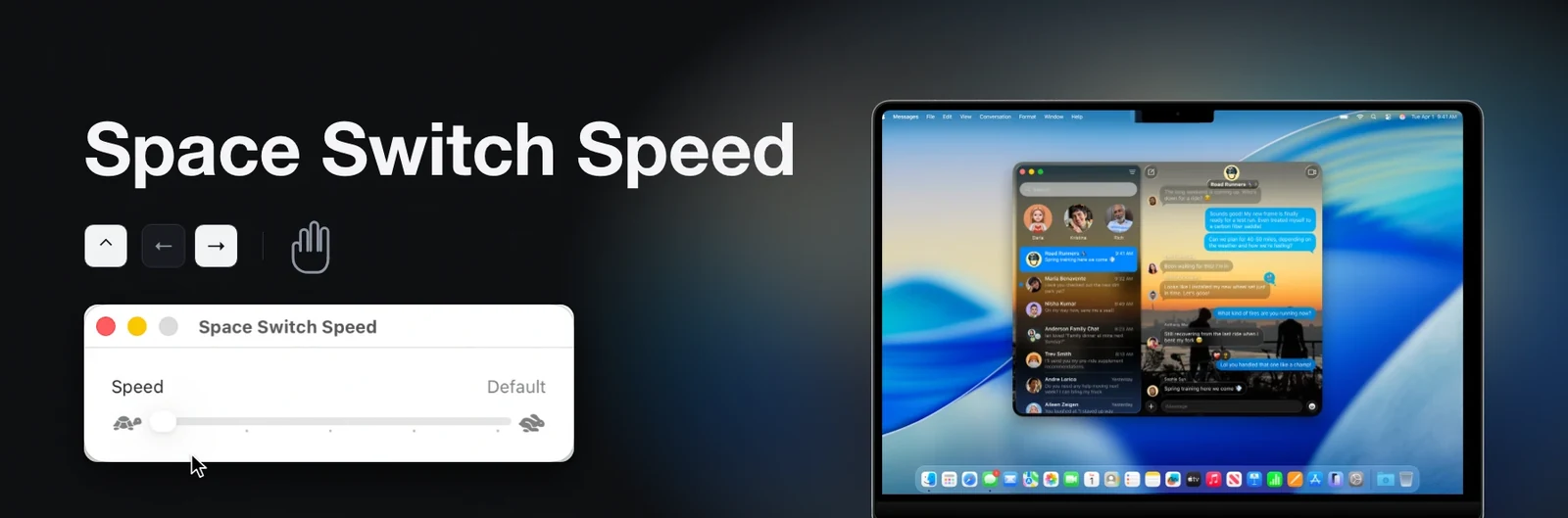
Five speeds, one slider#
Default, Gentle, Balanced, Quick and Instant. Default is Apple's animation untouched, and each stop after it is a fixed fraction of that. A change takes effect as you release the slider; sliding back to Default turns Space Switch Speed off entirely. Instant covers the distance in 50–70 ms, which reads as a cut rather than a slide.
The setting survives Dock restarting and reboots, so the app does not need to stay open. It applies to every way of moving between Spaces: the trackpad swipe, the Control-arrow shortcut, Mission Control, clicking a Space in the Spaces bar, and entering or leaving a full-screen app.
Why the usual advice doesn't work#
Nearly every guide to this tells you to run defaults write com.apple.dock
workspaces-swoosh-animation-off or expose-animation-duration. Neither does anything
on any current version of macOS. The first was real in Mac OS X Lion and was removed
over a decade ago; the second only ever affected Mission Control's zoom. Neither string
exists in the Dock binary any more.
There is no preference to set because there is no duration. Dock runs a spring, and the switch ends when the spring settles.
- Why
defaults writedoesn't fix thisWhat those two commands actually did, when they stopped working, and what is left that does. - How it worksThe Dock spring disassembled: the integrator, its constants, and the five instructions this changes.
- Why 120 Hz feels slowerThe same constants animate a third slower on a ProMotion display than on a 60 Hz one. Measured.
- Alternatives comparedSix other tools, what each one does to the animation, and what each one needs from you.
What it does, and what it refuses to do#
Space Switch Speed changes two constants in the memory of the running Dock process and nothing else.
- It does not modify Dock, or anything on the system volume. The Dock binary on disk is byte-identical before and after.
- It does not persist in Dock. The change lives in one process's memory.
killall
  Dock
clears it; a small background helper puts it back, and the switch under System Settings → General → Login Items & Extensions stops the helper and restores Dock at once. - It does not change your SIP configuration, run a
curl | bashinstaller, or phone home. - It does not write to anything it has not identified. It finds the animation by the shape of its code rather than by hardcoded addresses, and checks that Apple's exact constants are present before touching anything. On a macOS build it does not recognise, it does nothing and says so.
- It does not touch any other animation. Mission Control, Launchpad, window minimising and app switching are unchanged.
Compatibility#
| Architecture | Apple Silicon only. Intel Macs are not supported. |
| macOS | 15 Sequoia or later. 13 Ventura and 14 Sonoma drive the animation from a fixed 60 Hz timestep rather than the display's, and are refused. |
| Displays | Any refresh rate, any number of monitors, nothing to configure. |
| SIP | Debugging restrictions off is all it needs. A full csrutil disable also works, and gives up more for no benefit. |
Each Dock below was checked against the binary from Apple's own restore image for that
build, and make check-dock does the same for the Dock on your Mac.
| macOS | Dock | |
|---|---|---|
| 13.0 (22A380) | 2206 | refused |
| 14.0 (23A344) | 2273.1.100 | refused |
| 14.6.1 (23G93) | 2273.105 | refused |
| 15.0 (24A335) | 2341.0.1 | works |
| 15.6.1 (24G90) | 2341.6.1 | works |
| 26.0 (25A354) | 2427.0.4 | works |
| 26.2 (25C56) | 2427.2.4 | works |
| 26.4 (25E246) | 2427.4.7 | works |
| 26.6.2 (25G83) | 2427.6 | works |
| 27.0 beta 8 (26A5425a) | 2571.0.6.402 | works |
Where people keep asking#
This has been asked on Apple's own support forums for years, and the answer has always been either Reduce Motion or nothing:
- Can I increase the speed of the switch spaces animation? — closed, with Reduce Motion marked as the answer.
- Speed up desktop switching animation in macOS Tahoe — closed, no setting found.
- Switching spaces animation is very slow on high refresh rate screens — open, and filed with Apple as a bug. Why that happens.
Reduce Motion (System Settings → Accessibility → Display) does work, but it replaces the slide with a cross-fade and flattens every other animation on the system with it.
Get it#
Download the latest release,
or build it yourself from the source with
make install. The install guide covers the SIP change,
the quarantine step and what to do if it refuses to patch your Dock.