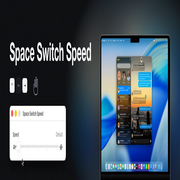
Space Switch Speed Alternatives
Tools that speed up macOS Space switching
Seven projects solve this problem, in three genuinely different ways. Which one you want depends mostly on whether you will relax System Integrity Protection, and whether you want the animation gone or merely quicker.
| Speed | Animation | Needs | |
|---|---|---|---|
| InstantSpaceSwitcher | 5 presets | Immediate, or a shortened Dock slide | Accessibility |
| space-rabbit | 5-step slider | Immediate, or a shortened Dock slide | Accessibility |
| Blink | 5 presets, plus custom | Immediate, or a shortened Dock slide | Accessibility |
| FasterSwiper | Duration and easing curve | Its own easing curve | Accessibility |
| strafe | 3 presets | Immediate, or an 80–110 ms ramp | Accessibility |
| instantspaces | Two build-time modes | Immediate, or a fixed 0.125 s slide | SIP relaxed, code injection |
| Space Switch Speed | 5-step slider | Dock's own animation, faster | SIP debugging off, root |
The three approaches#
Post a synthetic swipe. Most of the list — InstantSpaceSwitcher, space-rabbit, Blink, strafe — fabricates a trackpad gesture that is already at or near its end position and hands it to Dock. Dock then finishes the switch itself, which is why the result is either immediate or Dock's own flick, with not much in between. The great advantage is the permission: Accessibility, granted from System Settings, and nothing else. If you have not tried one of these yet, try one first.
Drive the slide yourself. FasterSwiper and strafe generate the intermediate positions rather than jumping to the end, so those two have a real duration to set, and FasterSwiper an easing curve. The animation you get is theirs, not Apple's.
Change what Dock computes. instantspaces patches Dock's transition duration by injecting code; Space Switch Speed rewrites two constants in the running Dock process's memory without injecting anything. Both need SIP relaxed. The distinction between them is that instantspaces overwrites a duration to make the slide short or absent, while Space Switch Speed re-solves the spring, so you keep Apple's animation and its feel — the easing, the arrival, the rubber band at the ends — just faster. That is the only entry in the table that gives you a speed rather than an on/off.
macOS 27 changed the event format#
This is the live issue with the whole synthetic-swipe category. The event format the first five tools construct changed in macOS 27, so they need updating. space-rabbit, FasterSwiper, iss and noswoosh have code for the new format; the rest do not. None of it is settled while 27 is in beta.
Space Switch Speed is not affected by that change, because it does not post events. It is affected by a different risk: it matches Dock's animation loop by shape, so a real rewrite of Dock would defeat it. That has not happened across any release from macOS 15.0 to 27.0 beta 8 — the verified list is on the home page — and when it does happen, it refuses to patch rather than guessing.
What about a window manager?#
yabai, Amethyst and Rectangle come up in the same searches, but they are solving a different problem: arranging windows. yabai asks for the same SIP change for its own reasons, and can move you between Spaces, but none of the three changes the Space-switch animation itself.
And Reduce Motion?#
System Settings → Accessibility → Display → Reduce Motion removes the slide with no third-party software at all, and it is the answer marked correct on every closed Apple forum thread about this. It replaces the slide with a cross-fade and flattens every other animation on the system at the same time. If that is acceptable to you, it is the simplest answer on this page and costs nothing.