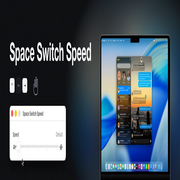
Space Switch Speed Why 120 Hz feels slower
Why Space switching is slower on a 120 Hz display
If you moved from a 60 Hz Mac to a ProMotion MacBook Pro or a high refresh rate external display and the desktop-switching animation felt worse rather than better, you were not imagining it. It is about a third slower, from the same code and the same constants.
People have noticed. There is an open thread on Apple's forums titled "Switching spaces animation is very slow on high refresh rate screens", and it has been filed with Apple as a bug. This page is the mechanism behind it.
The animation is a spring, not a curve#
Dock does not play a timed animation for a Space switch. It integrates a spring once per frame and stops when the spring settles — the full disassembly is here. The step that matters for this page is the last one:
100150f34  fmul d20, d20, d2        ; velocity *= retention (0.695)
100150f38  fadd d19, d19, d19       ; error *= 2   (the gain)
100150f3c  fadd d19, d19, d20       ; velocity = gain*error + retention*velocity
100150f44  fmul d20, d8, d19        ; dt * velocity
100150f48  fadd d17, d17, d20       ; position += dt * velocity
Two coefficients drive it: a velocity retention of 0.695 and a gain of 2, the latter
hardcoded as a doubling rather than stored as a constant at all. d8 is the timestep,
and on macOS 15 and later it comes from SLSDisplayGetTiming — your display's actual
frame interval, falling back to 1/60 only if the timing reads zero.
The same constants are a different spring at every refresh rate#
Here is the part that produces the effect. The velocity update carries no timestep. Only the position update does. So the coefficients fix the dynamics per frame, and running the same numbers at more frames per second gives you a genuinely different continuous-time system:
| Refresh rate | Damping ratio ζ | Dominant time constant τ | Character |
|---|---|---|---|
| 60 Hz | 0.911 | 0.092 s | Underdamped — a slight ring at the end |
| 90 Hz | 1.116 | 0.110 s | Overdamped |
| 120 Hz | 1.289 | 0.124 s | Overdamped |
| 144 Hz | 1.412 | 0.130 s | Overdamped |
A 60 Hz Mac's Space switch is faster and slightly bouncier than a 120 Hz one, and a
144 Hz display is slower still. The discrete loop's characteristic polynomial is
z² − (1 + a − dt·g)z + a, whose roots are real above roughly 75 Hz and complex below
it — so 60 Hz sits on the other side of a genuine qualitative boundary from every
high-refresh display, not merely a little further along the same scale.
Nothing about this is a bug in the ordinary sense. It is what happens when a spring tuned by hand at 60 Hz is later handed a real frame interval without retuning the coefficients that assumed the old one.
Can you fix it by faking the refresh rate?#
Not usefully. Setting the display to 60 Hz in System Settings does restore the quicker, bouncier switch, at the cost of every other benefit of the panel you bought. The animation is one of the few things on the system that gets worse at a higher refresh rate; scrolling, dragging and cursor tracking all get better.
What Space Switch Speed does about it#
It solves for new coefficients rather than detecting your refresh rate, and it turns out that is the right call.
Because the timestep only enters the position update, position += dt · velocity
absorbs most of the difference. Solving for the same speed setting at 60, 120 and 144 Hz
gives gains of 6.7133, 6.7467 and 6.7522 with identical retention — a spread of half
a percent at that stop, and four and a half percent at Instant. So Space Switch Speed
does not read the display timing at all; it solves at a fixed 120 Hz reference and both
branches of that characteristic polynomial are handled, because getting 60 Hz hardware
wrong is not acceptable.
What stays roughly put across refresh rates is each stop's fraction of Apple's own timing — within a tenth at Balanced, a fifth at Instant — not the wall-clock time. Put plainly: Quick on a ProMotion display is still a little slower than Quick on a 60 Hz one, in the same way stock is. What you get back is the third that the higher refresh rate took away, and then some.
Multiple displays at different refresh rates need nothing configured. There is one pair of constants in one Dock process, each stop is a fraction of Apple's timing on any display, and the arithmetic above is why that works without detection.
Related#
- How the animation works — the integrator, the constants, and how the loop is located without hardcoded addresses.
- Why
defaults writedoesn't fix this — including a verified list of which Dock keys are still alive. - Space Switch Speed — the app.