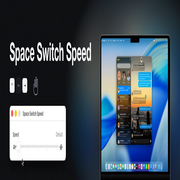
Space Switch Speed Why defaults write doesn't work
Why defaults write doesn't speed up Space switching
Search for a way to speed up the macOS desktop-switching animation and
you will be told to run one of two commands. Neither of them has done anything for
years, on any Mac, and no combination of them, killall Dock or a reboot
changes that.
These are the two:
defaults write com.apple.dock workspaces-swoosh-animation-off -bool true
defaults write com.apple.dock expose-animation-duration -float 0.1
They are still the top answer nearly everywhere the question is asked, which is why the question keeps being asked. This page is what is actually going on.
The short version#
| Command | What it did | Status |
|---|---|---|
workspaces-swoosh-animation-off |
Removed the Space-switch slide | Real in Mac OS X 10.7 Lion, removed from Dock over a decade ago |
expose-animation-duration |
Set the Mission Control zoom duration | Only ever affected Mission Control, never the Space slide; also long gone |
Neither string exists in the Dock binary any more. defaults write succeeds either way —
that is the trap. The command writes your key into com.apple.dock's preference
file whether or not anything reads it, so you get no error, no warning, and a
defaults read that faithfully repeats your value back to you. Nothing is listening.
You can confirm it on your own Mac without installing anything:
strings /System/Library/CoreServices/Dock.app/Contents/MacOS/Dock \
  | grep -Ei 'swoosh|expose-animation'
That prints nothing on macOS 15 and later. On a Mac that still had the feature, it printed the key.
There is no duration to set#
The deeper reason is not that Apple removed a preference. It is that the thing the preference would have to control does not exist.
Dock does not play a timed animation when you switch Space. It runs a spring on a dispatch queue, integrating it once per frame, and the switch ends when the spring has settled. In arm64, the loop is nine instructions:
loop:
100150f2c  fsub d19, d1, d17        ; error = target - position
100150f30  ldr  d20, [x20, #0x150]  ; velocity
100150f34  fmul d20, d20, d2        ; velocity *= retention (0.695)
100150f38  fadd d19, d19, d19       ; error *= 2            <- the gain
100150f3c  fadd d19, d19, d20       ; velocity = gain*error + retention*velocity
100150f40  str  d19, [x20, #0x150]
100150f44  fmul d20, d8, d19        ; dt * velocity
100150f48  fadd d17, d17, d20       ; position += dt * velocity
Termination is a settle test, not a clock: the absolute velocity is compared against
0.01, then the position against a tolerance. No number in that loop is a duration.
The roughly one-third of a second you experience is an emergent property of two
coefficients and your display's frame interval — there is nothing for a preference key
to name, which is why Apple ships none.
So the honest answer to "which defaults write speeds up Space switching" is that the
question has no answer of that shape. Changing the speed means changing the spring.
What does work#
Reduce Motion. System Settings → Accessibility → Display → Reduce Motion genuinely removes the slide, and it is the answer marked correct on every closed Apple forum thread about this. The cost is that it replaces the slide with a cross-fade and flattens every other animation on the system at the same time — window opening, Mission Control, Launchpad, notification arrival. If you only wanted the Space switch to be quicker, it is a very large hammer.
Posting a synthetic swipe. Several tools (compared here) send Dock a fabricated trackpad gesture that is already at its end position. Dock finishes the switch itself, so the result is immediate or a shortened flick of Dock's own — you are not setting a speed so much as skipping to the end. These need only Accessibility permission, which makes them the easiest thing to try first.
Changing the spring. That is what Space Switch Speed does: it solves for the retention and gain that produce the speed you asked for and writes those two constants into the running Dock process. Nothing is written to disk, the Dock binary is untouched, and Default writes Apple's own constants back exactly. It costs more to set up — it needs SIP's debugging restrictions off and an administrator password — but it is the only approach that gives you a speed rather than an on/off.
Which Dock keys are still alive#
Since the whole problem here is advice that nobody re-checked, here is the check. Every
key below was looked for in the Dock binary shipped with macOS 26.6.2 (build 25G83),
using nothing but strings:
strings -a /System/Library/CoreServices/Dock.app/Contents/MacOS/Dock \
  | grep -Fx 'workspaces-edge-delay'
Key (domain com.apple.dock) |
In the binary | What it is |
|---|---|---|
workspaces-swoosh-animation-off |
absent | Removed the Space slide, in Mac OS X Lion |
expose-animation-duration |
absent | Mission Control's zoom duration |
expose-cluster-scale |
absent | Mission Control thumbnail scaling |
workspaces-edge-delay |
present | Delay before a window dragged to the screen edge switches Space — real, and unrelated to the switch animation |
autohide-time-modifier |
present | Dock's own show/hide animation — real, and unrelated to Spaces |
springboard-show-duration |
present | Launchpad's open animation — real, and unrelated to Spaces |
The last three matter because they are the reason the first three are believed. Dock does expose undocumented animation keys, several of them still work, and they get listed together in the same blog posts. That a neighbouring key in the same domain changes a real animation is not evidence that the one you want does.
One from outside Dock is worth naming too: defaults write NSGlobalDomain
NSWindowResizeTime -float 0.01 is genuine, but it governs AppKit window resizing. It
has never had anything to do with Spaces.
Further reading#
- How the Space-switch animation actually works — the full disassembly, the constants, and how they are located without hardcoded addresses.
- Why the animation is slower on a 120 Hz display — the same constants, a different continuous-time system.
- Space Switch Speed — the app.