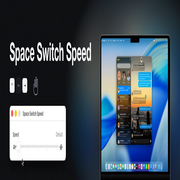
Space Switch Speed Install
Installing Space Switch Speed
Three steps. The first one is a real security decision and takes a trip to Recovery, so read it before you start.
Requirements: an Apple Silicon Mac running macOS 15 Sequoia or later, an administrator account, and SIP's debugging restrictions turned off. Intel Macs are not supported.
1. Turn off SIP's debugging restrictions#
Space Switch Speed changes a running Apple process, and System Integrity Protection blocks that for everyone, root included. Only one part of SIP is in the way — Debugging Restrictions — and this turns off that one part. Everything else in SIP stays on.
- Shut the Mac down completely.
- Press and hold the power button until "Loading startup options" appears.
- Click Options → Continue to enter macOS Recovery.
- Choose Utilities → Terminal from the menu bar.
- Run:
bash
   csrutil enable --without debug
- Answer its prompts, then restart.
csrutil warns that this is an unsupported configuration. That is expected. With
FileVault on, Recovery asks you to unlock the disk first; FileVault stays on. To put it
back later, make the same trip and run csrutil clear.
2. Install the app#
Download the latest disk image, open it, and drag Space Switch Speed into the Applications folder beside it. Then clear the download quarantine:
xattr -dr com.apple.quarantine "/Applications/Space Switch Speed.app"
The app is signed but not notarised by Apple, which needs a paid Developer ID, so macOS refuses to open it until you do that. If you would rather not run a command: open the app, let it be blocked, then click Open Anyway in System Settings → Privacy & Security. Control-clicking the app and choosing Open no longer works on macOS 15.
Or build it yourself, which needs Xcode 26 or newer and skips the quarantine step entirely:
git clone https://github.com/bisak/SpaceSwitchSpeed
cd SpaceSwitchSpeed
make install
3. Set the speed#
Open Space Switch Speed and drag the slider. The first change asks for your password once. That is all.
The slider has five stops — Default, Gentle, Balanced, Quick and Instant. A change takes effect as you release the slider, and sliding back to Default turns Space Switch Speed off entirely.
Your password installs a small background helper that puts the setting back whenever Dock restarts, so the app does not need to stay open. After an update, the next change asks once more. The setting is shared by every account on the Mac; from a standard account, each change asks for an administrator's password. macOS lists the helper under System Settings → General → Login Items & Extensions — switch it off there and Dock goes back to normal at once.
System Integrity Protection#
This is a real security tradeoff. SIP is a set of protections rather than one switch,
described on Apple's page
About System Integrity Protection. Only
Debugging Restrictions stands in the way of this app, and csrutil enable --without
debug turns off that one alone. Afterwards csrutil status reports unknown (Custom
Configuration) and lists each protection separately:
| Protection | csrutil disable |
--without debug |
|---|---|---|
| Filesystem Protections | off | on |
| Kext Signing | off | on |
| DTrace Restrictions | off | on |
| NVRAM Protections | off | on |
| BaseSystem Verification | off | on |
| Debugging Restrictions | off | off |
What you keep. Filesystem Protections: root still cannot write to /System, /bin,
/sbin, most of /usr, or Apple's app bundles, which is how something that has got root
would otherwise make itself permanent. Gatekeeper, notarisation, sandboxing, TCC,
FileVault and the sealed system volume are unaffected too.
What you give up. Anything already running as root can attach to any Apple process
and read or write its memory. That is a genuine loss of defence-in-depth, and it is
exactly the capability Space Switch Speed uses. On Apple Silicon, any csrutil change
also lowers the boot policy to Permissive Security; the partial configuration keeps the
protections in the table but does not restore Full Security.
A full csrutil disable, which is what most guides tell you to run, also works. It gives
up every row of that table for no benefit here.
Whether the trade is acceptable is your call. A shared Mac, a work laptop under an MDM policy, or anything holding credentials you cannot rotate: leave SIP alone and don't use this tool. A personal Mac where you already run unsigned software: the added risk is small, and tools such as yabai ask for the same thing.
Space Switch Speed never changes your SIP configuration. It detects the state, says so,
and stops. Turning anything off is a deliberate act performed by you, from Recovery, and
csrutil clear reverses it completely.
Uninstalling#
Space Switch Speed → Remove Space Switch Speed… puts Dock back, removes everything it
installed, and quits. Then move the app to the Trash. If a Dock could not be put back, it
says so instead and leaves killall Dock to you.
Or just delete the app. The helper notices within a few minutes, puts Dock back and
removes itself. killall Dock clears the patch from that Dock at once, but while the
helper is installed it puts the patch back within a second; the switch under Login Items
is what stops it.
This is everything it puts on your Mac:
/Library/LaunchDaemons/com.bisak.spaceswitchspeed.helper.plist/Library/PrivilegedHelperTools/com.bisak.spaceswitchspeed.helper/Library/Application Support/SpaceSwitchSpeed/, which holds your setting- the app's own preferences file in your home folder, which Remove clears for the account that runs it
If it refuses to patch your Dock#
That is the designed behaviour on a macOS build it does not recognise — it does nothing rather than guessing. Open an issue with your macOS version, build number and Mac model, and what the helper said:
log show --last 1h --predicate 'subsystem == "com.bisak.spaceswitchspeed"'